What is AUTOSAR Builder?

AUTOSAR Builder is a flexible and powerful solution for the development and verification of automotive distributed embedded systems according to ©AUTOSAR standard, supporting AUTOSAR Classic and Adaptive.

AUTOSAR Builder is a quite comprehensive ©AUTOSAR toolchain, starting from authoring to ECU configuration via ECU extract, RTE generation, simulation and test, and more features. It enables you to import Model Based Design legacy descriptions and generate AUTOSAR compliant C code, ready to be embedded in target ECUs. Through exchange formats defined by AUTOSAR, AUTOSAR Builder also works with other AUTOSAR-compliant tools, such as ©EB tresos Studio from Elektrobit.

Benefits of Car Design Software

AUTOSAR Builder offers fast integration in any process, open customization, and verifies compliance with the AUTOSAR standard. It enables rapid development of complex architectures through wizards, table-based and diagram editors. Effective analysis and validation are facilitated, while simplifying resource organization. It eases interoperability with popular formats and code generation tools, including FMI, and integrates seamlessly with 3rd-party tools supporting ARXML.

Highlights of AUTOSAR & Automotive Design Software

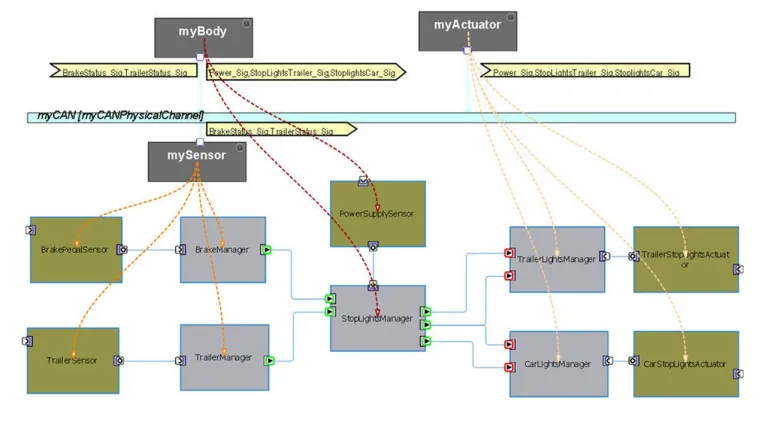
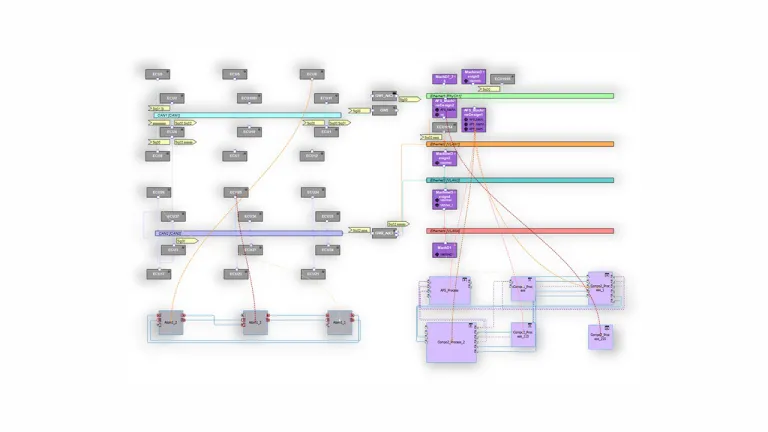
  •  Authoring environment: software and system modeling including network design.
  • Ensuring 100% AUTOSAR compliance using ©Artop.
  • Support of AUTOSAR Classic and Adaptive.
  • Comprehensive and customizable validation engine.
  • ECU environment: configures ECU and generates BSW code.
  • ECU and system extract to exchange with 3rd party AUTOSAR BSW configuration tools.
  • Roundtrip support through AUTOSAR compare and merge.
  • RTE generator to automatically generates embedded C code for RTE layer.
  • ASim: AUTOSAR simulation, covering VFB, ECU and system level.

Authoring for AUTOSAR Classic & Adaptive

AUTOSAR Builder encompasses all AUTOSAR development domains, including Classic Platform (app software, system design, Basic Software, integration) and Adaptive Platform (manifest, ECU integration, system description), ensuring easy and reliable execution of these tasks.

Classic

AUTOSAR Builder is 100% AUTOSAR standard compliant. To ease the creation of complex AUTOSAR models, it offers user friendly wizards and advanced graphical and table-based editors, guiding the user through typical AUTOSAR design steps. Therefore, it hides the complexity of AUTOSAR design activity through features which not only prevent the user from creating erroneous designs but also by offering automated completion/creation of AUTOSAR design elements. 

AUTOSAR Builder provides a powerful validation engine, helping the user identifying and solving design and configuration issues. 

Simulation & Test

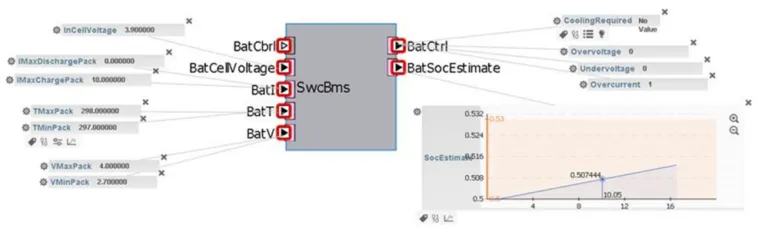
ASim (AUTOSAR Simulation) allows early system integration/verification. It simulates your virtual ECU on your computer. Setup is easy; provide your software component description. ASim automates configuration, generating AUTOSAR OS and RTE for your virtual ECU. It offers various test modes.

Automatic Mode

AUTOSAR Builder is 100% AUTOSAR standard compliant. To ease the creation of complex texts, Automatic Mode executes automatic driven tests through test cases which can be described in different test formats. 

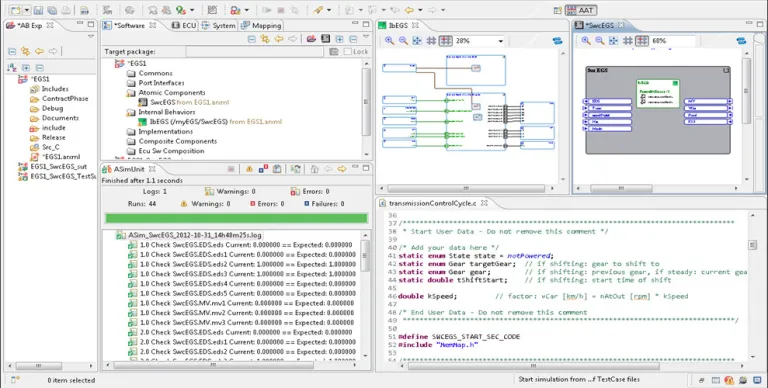
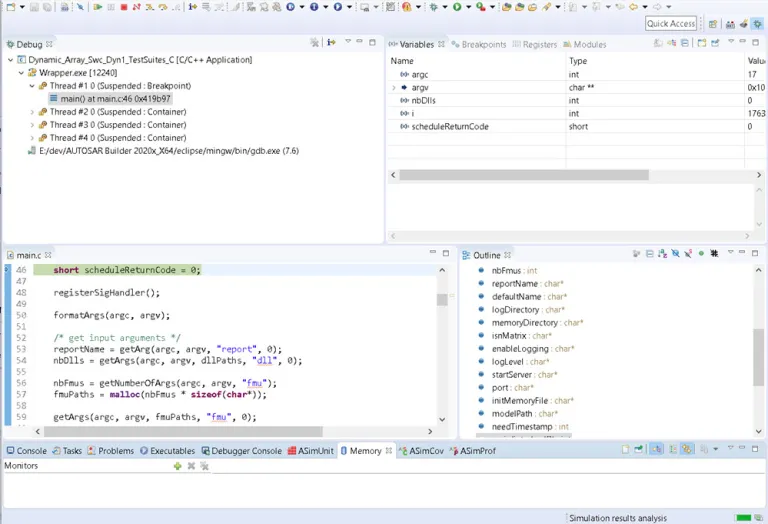
The result of the simulation is displayed in the ASimUnit view as you can see in the picture. 

Start Your Journey

The world of automotive development is changing. Discover how to stay a step ahead with CATIA.

Join the conversation in the CATIA MBSE Cyber System User Community!

2026x HF2 Unable to Apply ForceDesignation to Operational Performer

mission engineering UAF When I attempt to create a value for the OpposableElement tag I am not able to get a pull-down. Instead I just get a link to the enumeration. The tag definition in the stereotype uses the type DesignationKind for the tag, not ForceDesignation. DesignationKind is the base stereotype for ForceDesignation. This appears to be an issue in the UAF v1.3 profile.

CATIA MBSE CYBER SYSTEMS

[SAMPLE MODEL] EE&S Artifact Positioning on the Automotive SPICE Grid

What this isA practice model showing where EE&S plugin artifact types naturally land on the ASPICE process grid, using a Collision Avoidance System (ADAS) as the reference system. The point isn't the system — it's demonstrating that the tool's native constructs map directly to ASPICE work products, and that the chain doesn't stop at architecture.ASPICE Process → EE&S Artifact MappingSYS.1 — Requir

CATIA MBSE CYBER SYSTEMS

FlexNet Plugin Licenses in Batch Mode

My team is trying to run Cameo in “batch mode”, and I have a question regarding the FlexNet license server configuration that is not answered in any of the documentation that I was able to find. In the Cameo documentation, I see Java arguments for specifying a FlexNet server and port (FL_SERVER_ADDRESS / FL_SERVER_PORT), and I also see that I can specify a tool edition (FL_EDITION). However, in th

CATIA MBSE CYBER SYSTEMS

Derivation Tables in SysML V2

Requirement derivation tables are easily one of the top requested topics from users across the industry. In my latest video, I walk through how to define a reusable view def and map it directly to your requirement structures.Watch the Video here: [Link to YouTube Video] Download / Copy the Source CodeGrab the SysML v2 code used in the video below to test and adapt for your own models:How are you

CATIA MBSE CYBER SYSTEMS

AUTOSAR Builder FAQs

Also Discover

Learn What CATIA Can Do for You

Speak with a CATIA expert to learn how our solutions enable seamless collaboration and sustainable innovation at organizations of every size.

Get Started

Courses and classes are available for students, academia, professionals and companies. Find the right CATIA training for you. 

Get Help

Find information on software & hardware certification, software downloads, user documentation, support contact and services offering