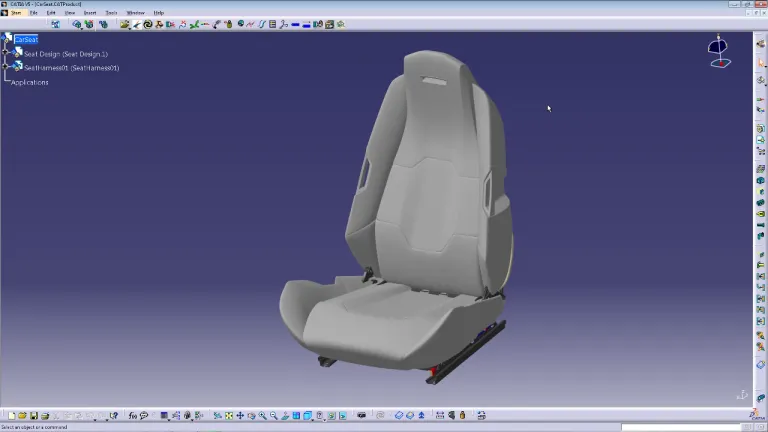
ECAD (Electronic Computer-Aided Design) and MCAD (Mechanical Computer-Aided Design) are two distinct types of CAD (Computer-Aided Design) software used for different purposes in the field of design and engineering.
1. ECAD (Electronic Computer-Aided Design):
- Purpose: ECAD software is used primarily for designing electronic systems like circuit boards, integrated circuits, and other types of electronic components.
- Functionality: It includes tools for schematics, electronic layout design, and often for simulating electronic circuits.
- Usage: Professionals such as electronic engineers and designers use ECAD to develop electronic systems and components like PCBs (Printed Circuit Boards), semiconductor devices, and other electronic hardware.
- Examples: Popular ECAD tools include Altium Designer, Cadence OrCAD, Eagle, and KiCad.
2. MCAD (Mechanical Computer-Aided Design):
- Purpose: MCAD software is designed for creating and analyzing mechanical systems. This includes parts and assemblies in machines, automotive components, industrial equipment, and more.
- Functionality: It provides tools for 3D modeling, drafting, simulation of physical behavior (like stress, strain, heat flow), and visualization of mechanical components.
- Usage: Mechanical engineers, product designers, and other professionals in the mechanical design field use MCAD for designing machinery, consumer products, automotive components, etc.
The primary difference between ECAD and MCAD is their focus: ECAD is geared towards electronic design, while MCAD is focused on mechanical components and systems. In complex products like smartphones or automobiles, which involve both electronic and mechanical components, integration between ECAD and MCAD is crucial for efficient design and collaboration. This integration allows for checking physical fit and compatibility between electronic and mechanical components, ensuring a seamless and functional design in the final product.